BrickflowUI
Python-first internal app platform
Build dashboards, portals, copilots, and product-grade internal apps in pure Python.
BrickflowUI is for teams that want a Python-first authoring experience without giving up application shells, structured interactions, branding, responsive layouts, packaged frontend assets, or enterprise-style deployment guidance.
Dashboards
Secure internal tools
Pipeline command centers
Copilot workspaces
Databricks portals
Why teams evaluate it
It aims to close the gap between notebook UI speed and custom frontend ambition.
What it optimizes
Python ownership, reactive state, richer UI surfaces, brand control, and evaluator-friendly docs.
Who it serves
Data platform teams, analytics builders, internal tool engineers, and regulated enterprise workflows.
Start Here
Why BrickflowUI
Understand the product wedge, end users, and where the framework fits against notebook-style tools.
Quick Start
Install the package, run your first app, and verify the runtime in minutes.
Learn BrickflowUI
Follow the structured curriculum from first principles to a capstone portal build.
API Reference
Review the current public surface, hooks, theme sections, auth helpers, and component categories.
Examples
See flagship apps that prove shell design, analytics, media, pipelines, security, and chat workflows.
Deploy
Understand how BrickflowUI packages for Databricks Apps and stricter enterprise environments.
What A Serious Evaluation Looks Like
If you are evaluating BrickflowUI as a platform rather than casually exploring it, use this path:
- Why BrickflowUI
- Architecture
- Performance And Scalability
- Auth And Security
- API Reference
- Examples
- Databricks Apps
Built-To-Ship Surfaces
Analytics command centers
Sidebars, KPI cards, premium tables, charts, filters, drilldowns, and theme-aware shells.
Pipeline operations portals
Freshness, DAGs, SLA controls, warehouse views, incidents, and operator-friendly status surfaces.
Secure internal tools
Auth-aware pages, route guards, governed views, deployment notes, and enterprise-style navigation.
Copilot workspaces
Chat UI, assistant workflows, source drawers, structured filters, and media-rich support surfaces.
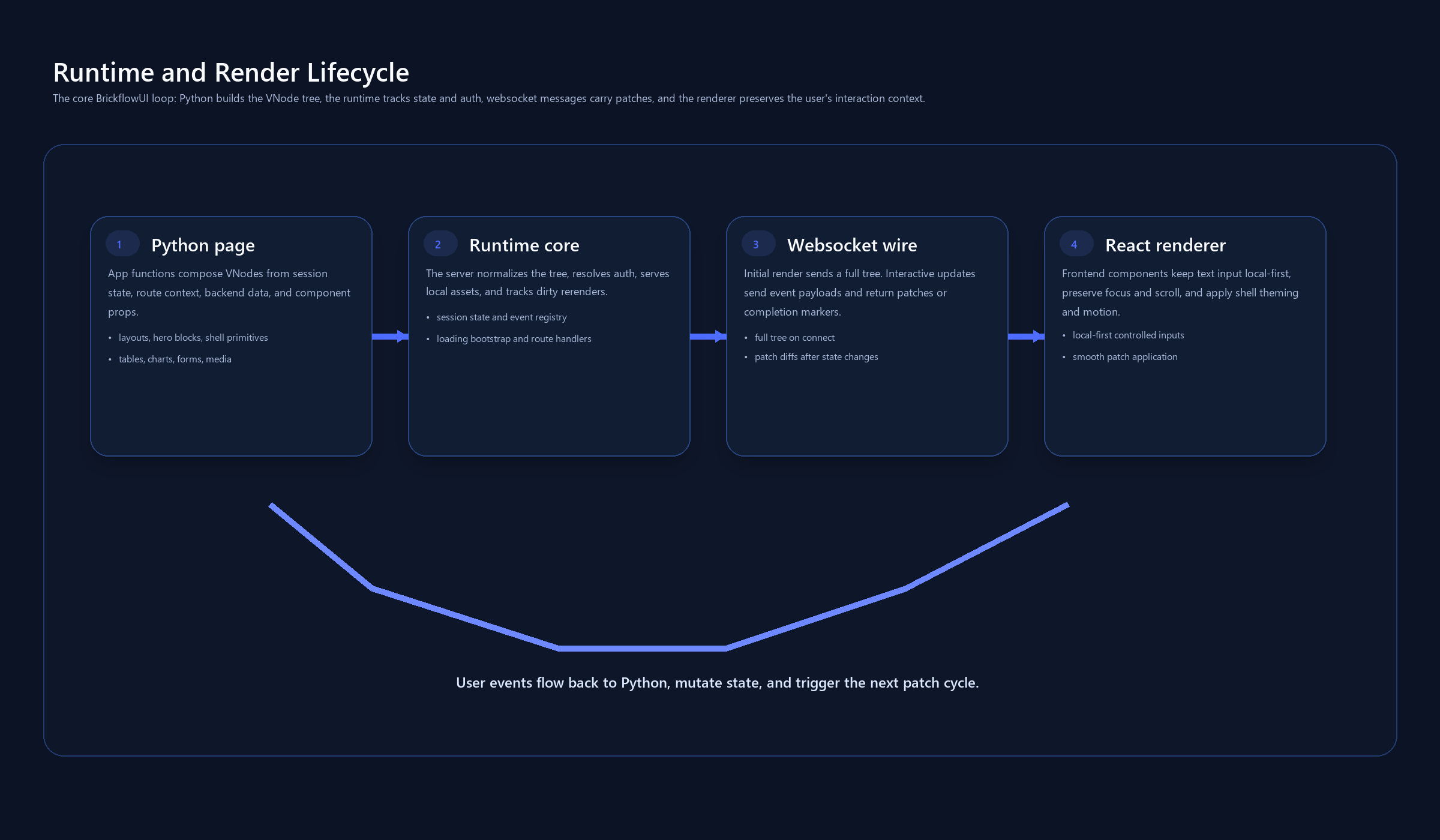
Runtime Overview
Product Areas
Component Library
Browse grouped component guides and detailed pages for layout, controls, data, navigation, charts, and workflow patterns.
Build A Real Portal
Follow a larger SaaS-style app build that connects shells, filters, state, tables, charts, and deployment thinking.
Visualizations And Pipelines
Learn the chart, Plotly, pipeline graph, and workflow visualization surface in one place.
Local Development
Validate runtime behavior, auth patterns, assets, responsiveness, and debugging workflows locally.
FAQ
Get direct answers to the questions evaluators and builders ask most often.
Recipes
Find targeted implementation patterns for auth, Databricks SQL, charts, chatbot UI, and deployment flows.
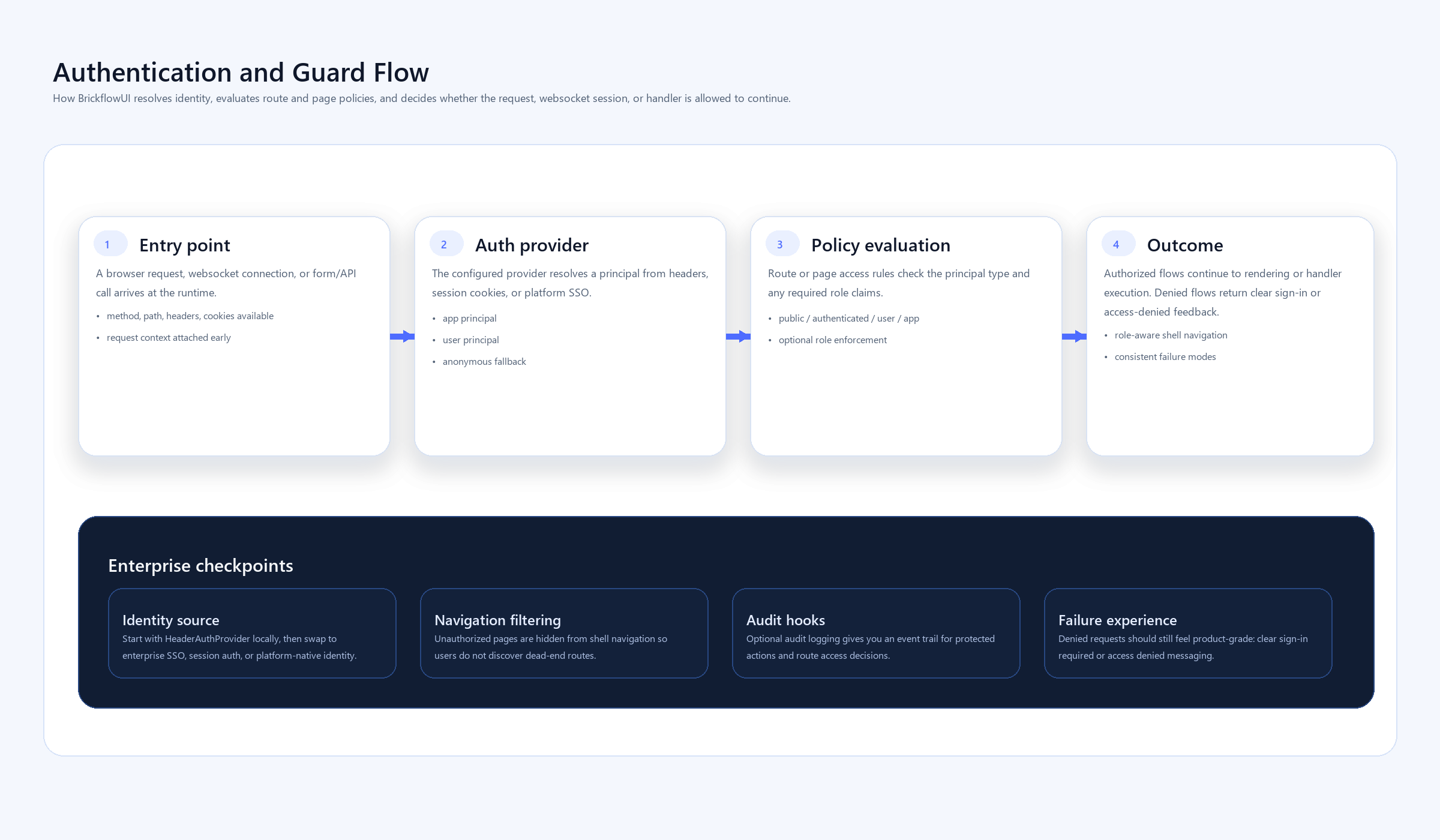
Enterprise Checkpoints
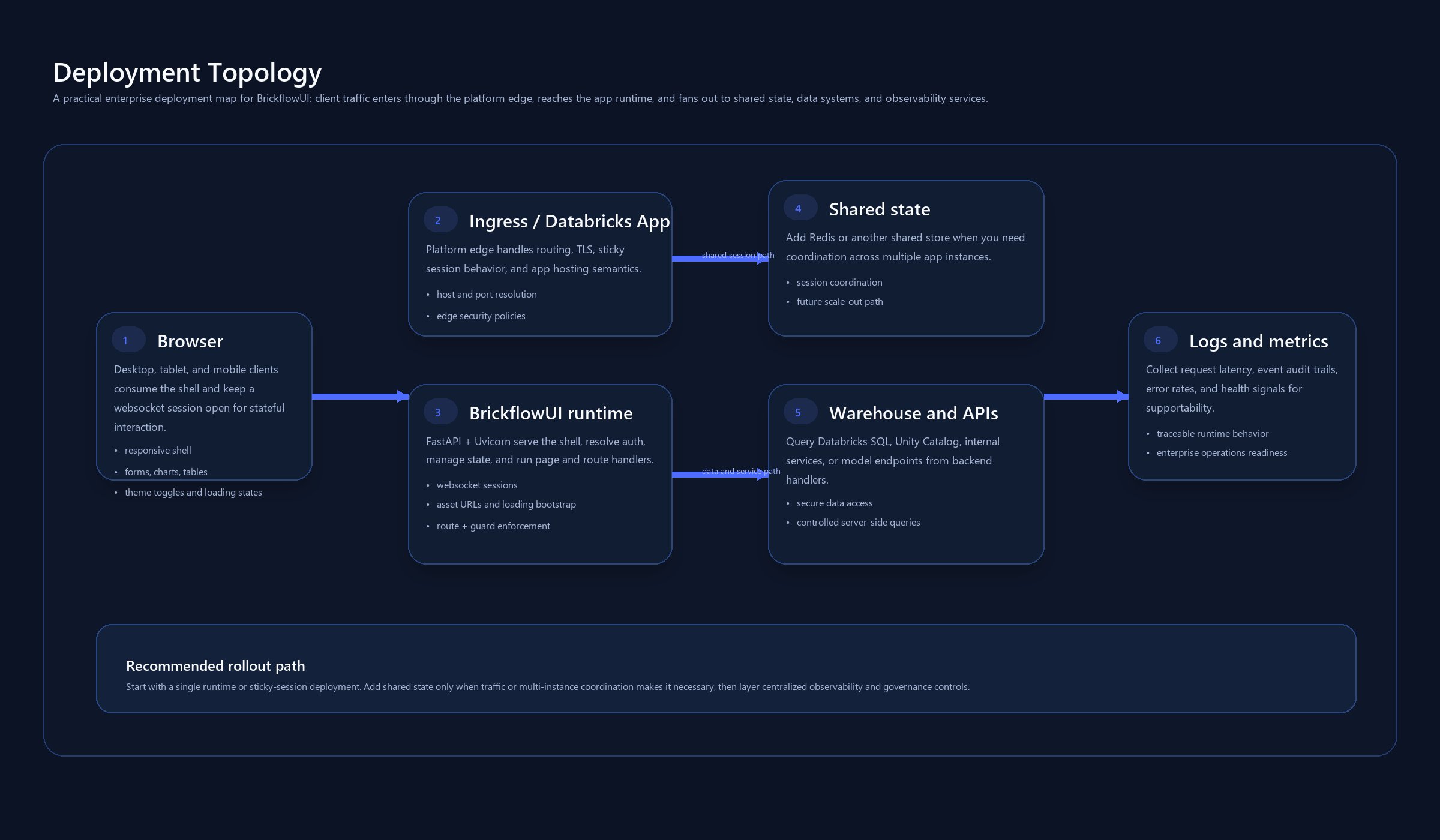
Recommended Reading Order
If you are new to the framework, this is the fastest way to build confidence:
Install
pip install brickflowui
import brickflowui as db
First App
import brickflowui as db

app = db.App(title="Hello BrickflowUI")

@app.page("/", title="Home")
def home():
    count, set_count = db.use_state(0)
    return db.Column(
        [
            db.Text("Hello BrickflowUI", variant="h1"),
            db.Text(f"Count: {count}"),
            db.Button("Increment", on_click=lambda: set_count(count + 1), icon="Plus"),
        ],
        gap=4,
        padding=6,
    )

if __name__ == "__main__":
    app.run()